Website Redesign
Uline Website Redesign
- SponsorUline
- RoleUX Designer
- Timeline5 Months
Rethinking Favorites: Designing a more modern consistent experience
that makes reordering favorites feel effortless.
Problem Scope
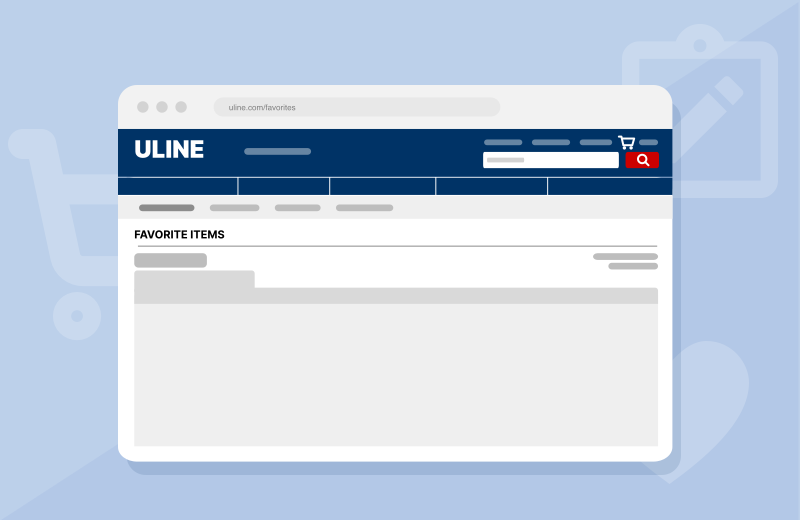
Uline’s Favorite Items page was built to help customers save their preferred products. In practice, however, customers mostly use it to revisit their past ordered items, revealing a gap between the feature’s intended purpose and how users utilize it. This resulted in wasted time, confusion, and a less intuitive experience.
The project aims to eliminate the friction the page is currently causing, through modernizing and creating an intuitive interface.
Process
Phase 01
Research
Secondary Research
- Create visual hierarchy and reduce cognitive load.
- Checkout strategies and affects on consumer actions.
Competitive Analysis
Analyzing competitors and categorizing to gain insight
UniqueBestSamePoor
Interface Audit
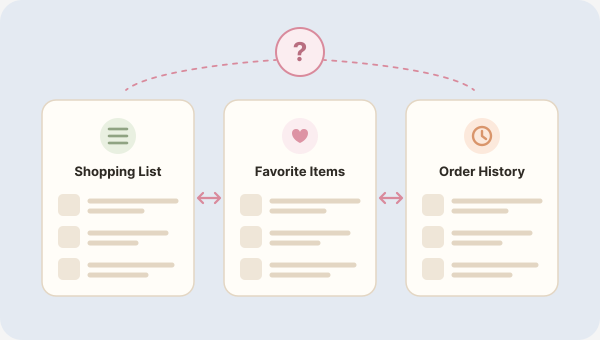
Gain full understanding of site to create distinction between three pages.
Favorite ItemsShopping ListOrder History
Phase 02
Information Architecture
Data Analysis
Understanding behavior flow and clicks, through the data provided by Uline.
Affinity Diagram
Organize observed areas for improvement, to identify design opportunities and categorize them.
Usability Testing on Current State
Understand the current ease of use and accessibility from user perspective
Phase 03
Prototyping
Whiteboarding
Sketch out ideas and explore how features can be incorperated to improved usability, clarity and distinction.
Wireframing
Translate ideated concepts and solidifying design solutions into low-fidelity skeletons for future prototyping.
Phase 04
Testing
Multivariate Testing
Wireframing created multiple design solutions and design decisions for this project needed to be grounded in research, not assumptions. Multivariate testing compared prototyped features side by side, revealing which options users found most intuitive. Each direction was validated against real user insight, resulting in a focused set of features for the final prototype.
- Participants
- 216 UX students · 13 non-UX · 2 full-time employees
- Sessions
- 30–40 min each
- Data collection
- Observational notes and questions
Phase 05
High-Fidelity Development
High-Fidelity Design
Finalizing design solution into a high-fidelity prototype of the “Favorite Items” and the related pages, integrating user feedback and the most successful design variations from the multivariate testing to ensure a researched backed solution.
Final Usability Testing
To validate the final designs and determine if changes needed to be made to the prototype in the future.
Key Decisions
Reducing Clicks
Completing an Interface Audit allowed us to understand that the core functionalities of the page were present but hidden. It helped us aim the redesign at UX priorities such as minimizing overload by reducing clicks.
“Add to Favorites” on Products Page
Usability testing showed that most users’ first instinct when adding an item to “Favorite Items” was to go to the products page, which allowed us to redesign according to that finding.
Navigation
Testing also showed us that navigation was a more prominent pain point that users encountered. The page was not located in an area that was intuitive, which could contribute to users not utilizing the “Favorite Items” feature.
Research Insight
To better understand user flows and key functions we performed several activities.
Usability Testing
Interviewed 6 students to complete tasks and only intervened when the tasks weren’t able to be completed. The activity showed us common pain points that led to the misuse of the page.
Multivariate Testing
Tested with 21 participants through observational notes and questions to gauge accessibility, visibility, utility and compare one feature to another. The activity allowed us to narrow down different designs and choose the most intuitive one.
Takeaways
Creating Opportunities for Discoverability
Testing revealed that discoverability correlates with usage of the feature. Creating more touch points within the site can bring more usage of the feature and also increase accessibility for users. This highlights the usage of “Favorite Items” as a shortcut feature and becomes intuitive as a shortcut.
User Feedback Focused Design
Designing can often be clouded by the designer’s subjective opinion on what looks good. UX designing proved similar, and at some points it was difficult to let go of my subjective opinion. This project led us to use activities like Affinity Diagramming that pushed us to set our ideas aside, focus on findings from research and feedback, and find redesign opportunities.
Keep exploring